Ever since I “installed” my Raspberry Pi IR Blaster on the living room lamp, I have been getting a flood of praises from my wife about how well it goes with the decor and how she barely notices that it’s there. Well, that’s what I hoped she would say after I tied a Raspberry Pi with an exposed proto-board with IR LEDs sticking out of it on her living room lamp shade.
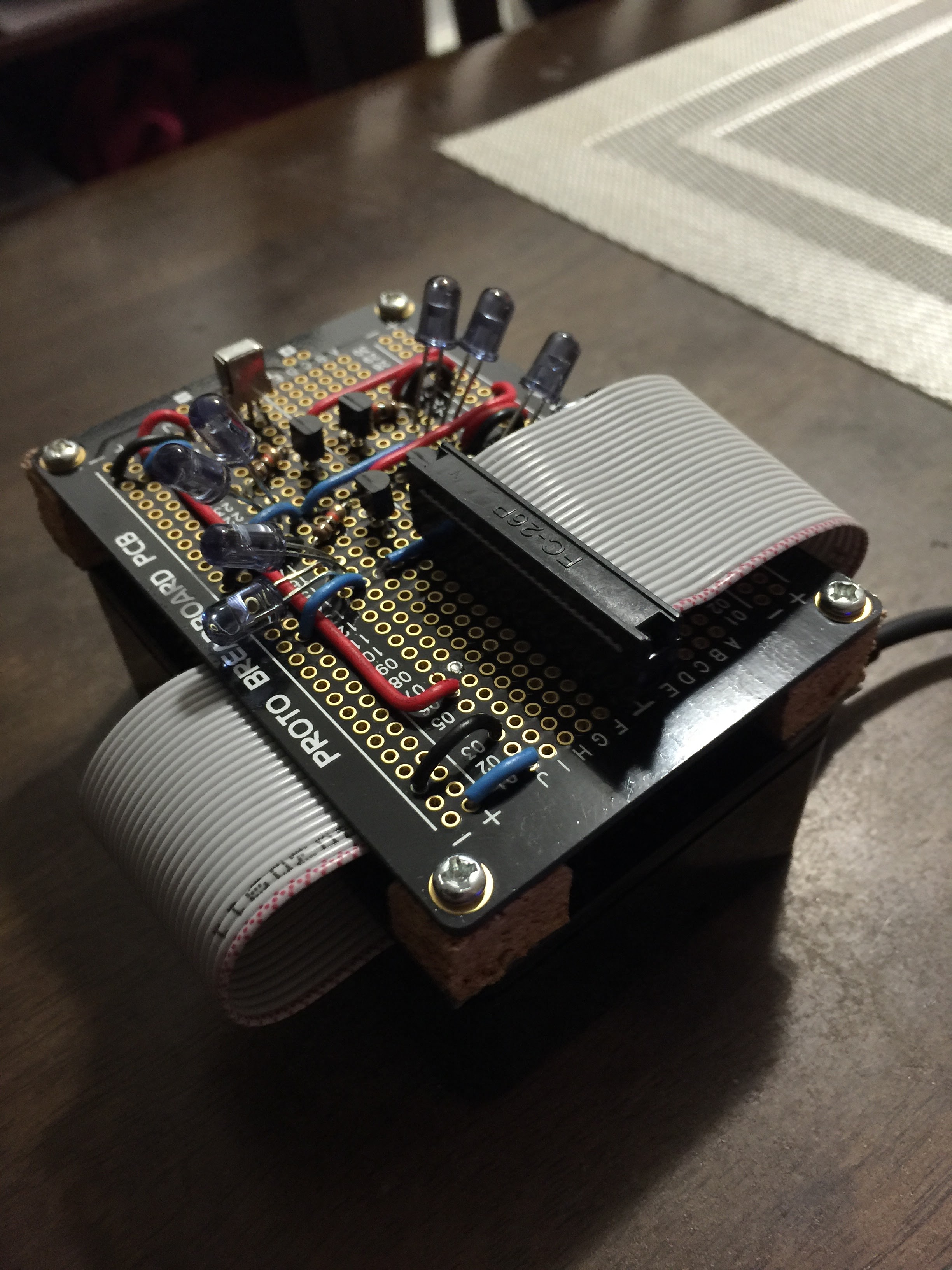
In my never ending quest to improve the humble TV remote, I have created an Alexa skill to remotely control my programmable remote control Raspberry Pi. So in simple terms that’s: A voice remote to remotely control a programmable IR remote so that I can remotely control everything in my living room that supports IR (currently TV, cable box and Apple TV). Simple right?
This plan required that I buy an Amazon Echo. Hardly something I can justify to my wife after the Raspberry Pi IR blaster attachment on her side table lamp shade fiasco. So I decided to do the most sensible thing. I built my own Amazon Echo using another Raspberry Pi, a giant microphone condenser that’s plugged into a 48 volt phantom power supply and some code from github.
I wrote the Alexa skill using a nodejs script. The coding part was not very complicated to be honest. The real difficulty was how convoluted some of the integrations are between the different AWS managed services. Integrating an Alexa skill to an AWS Lambda function required that you put in the correct arn by copy and pasting it. That’s an obvious sign that these different managed services were built by different teams across a really large organization. You can even tell by how the developer console for Alexa skills is very different UX and style wise from the AWS console. I am sure Amazon will fix these UX integration issues as the services mature over time.
Jarvis – A really annoying name
You will notice that in all my commands I needed to say “Ask Jarvis to…” after triggering Alexa. This is because certain invocation names are reserved. The one I wanted to use was “TV”. I bet you that they will only allow these restricted invocation names to be used by partner device makers. So if you were planning to name your skill as “TV” or “Lights” for your custom home IoT devices, prepare to be disappointed. I mean like, seriously, I just wanted to say “Alexa, turn on the TV”, but no, I now have to say “Alexa, ask Jarvis to turn on the TV”. I don’t think there is a technical reason why they don’t allow this. It just seems like a way for Amazon to push Amazon approved IoT devices.
Intents – Have very good intentions
I put in some very basic intents on the Alexa skill. Here’s a quick breakdown of the options:
- Volume Up
- Volume Down
- Channel Up
- Channel Down
- Channel Change (Channel No)
- Toggle Power TV
- Toggle Power Cable
- Toggle Power All
- Toggle Closed Caption
- Change Input
I really liked how Alexa skill intents are designed. The intents obfuscate the language parsing (input) and the action to be performed (output). The intent is simply a way you can map inputs to outputs. This is great because you will be able to practically re-use your same intents across other language parsing services in the future. I’m looking at you chat version of Alexa!
Utterances – Soon to be smarter
The intent only requires that you provide sample set of utterances for it. The Volume Up intent can be triggered by one of these phrases:
- increase volume
- increase the volume
- raise volume
- volume up
- increase volume by {Volume}
I assume that the Alexa voice parser has a bit of machine learning that maps variations of these utterances based on how I would normally use the skill. I did not see any way to configure a confidence level threshold to the sample utterances but I guess it’s best that be kept abstracted from me anyway.
You will also notice that there is a parameter on the last sample utterance. This really makes the Alexa skill powerful as you can see how easy it is to write a really simple command or a complex parameterized one.
Wife Wisdom
After all the effort I put in this build I was really excited to show it to my wife. I showed her how she can now turn the TV on and off, change the channel of the cable box by just using her voice. I saw the confusion in her eyes as she picked up the old TV remote and asked…
What’s wrong with the remote?
Mad Computer Scientist’s Wife

 Technical Insanities of a Mad Computer Scientist
One Comment Add yours